
Products
Membrane switches, graphic overlays, keypad assemblies, and FSR sensors serve control and sensing tasks. Compare function and mounting before choosing.

Choose by product
Separate control, identification, and pressure-sensing needs
Start with the task: key input, graphic identification, assembled controls, or force sensing. The product structure then becomes easier to select.

Custom Membrane Switches
Combine graphics, key contacts, and circuitry in a thin control interface. Customize the outline, key layout, windows, and flexible tail to suit the equipment, from sample approval to production.
View details
Build-to-Print Membrane Switches
For build-to-print membrane switches, align the drawings, quantities, approval plan, revision control, and production-release requirements before quoting and prototyping.
View details
Membrane Switch Panels
Define overlay material, legends, windows, keys, circuits, tail, and rear adhesive for the equipment, interface, and operating conditions before approving the drawing and sample for Membrane Switch Panels.
View details
Metal-Dome Tactile Membrane Switches
Define dome selection, actuation force, travel, support, embossing, and user feedback for the equipment, interface, and operating conditions before approving the drawing and sample for Metal-Dome Tactile Membrane Switches.
View details
Non-Tactile Membrane Switches
Define actuation method, press area, circuit contacts, overlay, spacer, and panel support for the equipment, interface, and operating conditions before approving the drawing and sample for Non-Tactile Membrane Switches.
View details
Embossed Membrane Keys
Define emboss shape, dimensions, overlay grade, tolerances, support, and enclosure fit for the equipment, interface, and operating conditions before approving the drawing and sample for Embossed Membrane Keys.
View details
Backlit Membrane Switch Solutions
This product family brings together LED placement, light-guiding route, brightness, uniformity, light blocking, power, and heat. Confirm the final construction against the enclosure, interface, and approved sample.
View details
Water-Resistant Membrane Switches
This solution requires coordinated decisions on bonding surface, perimeter, tail exit, connector, enclosure interface, and test method, followed by sample and installed validation.
View details
Graphic Overlays for Control Panels
Customize equipment legends, operating areas, and display windows. Choose materials, colors, textures, and adhesives from your artwork or samples to match the enclosure and intended appearance.
View details
Integrated Keypads and Key Assemblies
Coordinate keys, overlays, supports, lighting, and connections around the equipment space and operator needs. Agree the assembly scope and mechanical fit for each project.
View details
EMI and ESD Shielded Membrane Switches
This solution requires coordinated decisions on return path, shielding layer, tail, connector, filtering, grounding, and enclosure integration, followed by sample and installed validation.
View details
Custom Tails and Connectors
This solution requires coordinated decisions on tail length, stiffener, bend zones, pitch, contact side, exit direction, and insertion space, followed by sample and installed validation.
View details
Rear Adhesive and Enclosure Bonding
This solution requires coordinated decisions on substrate, surface energy, texture, temperature, chemicals, curvature, edge, and rework, followed by sample and installed validation.
View details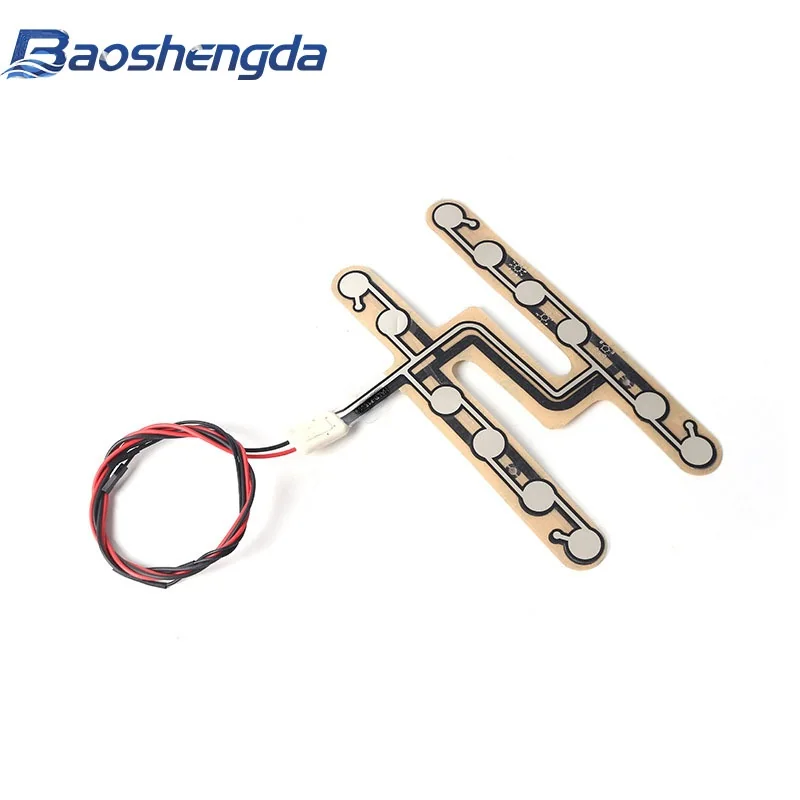
Custom FSR Pressure Sensors
Custom FSR pressure sensors support thin, flexible force or touch-pressure sensing. Sensing zones, outline, circuitry, tail, mounting, readout, and validation are developed around the actual equipment.
View detailsCore product families
Four product families for different interface needs
Start with control input, graphics and display windows, integrated keypad assemblies, or pressure sensing, then confirm the final construction against the equipment.
 Core product
Custom Membrane Switches
Configure the overlay, keys, circuit, tail, connector, and adhesive around the actual enclosure and PCB.
 Graphics and identification
Graphic Overlays
Review PET or PC options against windows, colors, texture, legends, embossing, and bonding conditions.
 Component integration
Integrated Keypad Assemblies
Coordinate mechanical support, silicone, membrane circuitry, lighting, electronics, and the assembly interface.

Product selection and RFQ
Choose the product path and prepare the quote inputs
Separate control, identification, component integration, and pressure sensing before reviewing drawings, quantities, and operating conditions.
How do we choose between a membrane switch, graphic overlay, keypad assembly, and FSR sensor?
Use a membrane switch when the interface needs key input and circuitry; use a graphic overlay for graphics, legends, or windows without switch circuitry; consider a keypad assembly when mechanical support, silicone, or lighting must be integrated; and consider an FSR when the task is force or touch-pressure sensing. Confirm the final direction against the equipment construction.
Can we begin with sample photos if the drawing is incomplete?
Yes. Send front and rear photos, outline dimensions, mounting position, the control or sensing task, expected quantity, and target timing. Circuit, tail, adhesive, and acceptance details can be added as the review progresses.
Why are mounting and operating conditions needed before quotation?
Enclosure material, surface condition, temperature, humidity, cleaning, tail routing, and sealing affect the material, adhesive, construction, prototype, and inspection plan.
How does an approved sample move into production?
Align the approved sample with the released drawing revision, materials, key dimensions, functional criteria, inspection items, and packaging. Keep later design changes tied to a traceable revision record.
Project RFQ
Send a drawing—or begin with the equipment use
Artwork, enclosure dimensions, sample photos, or a question list can all start the engineering review.